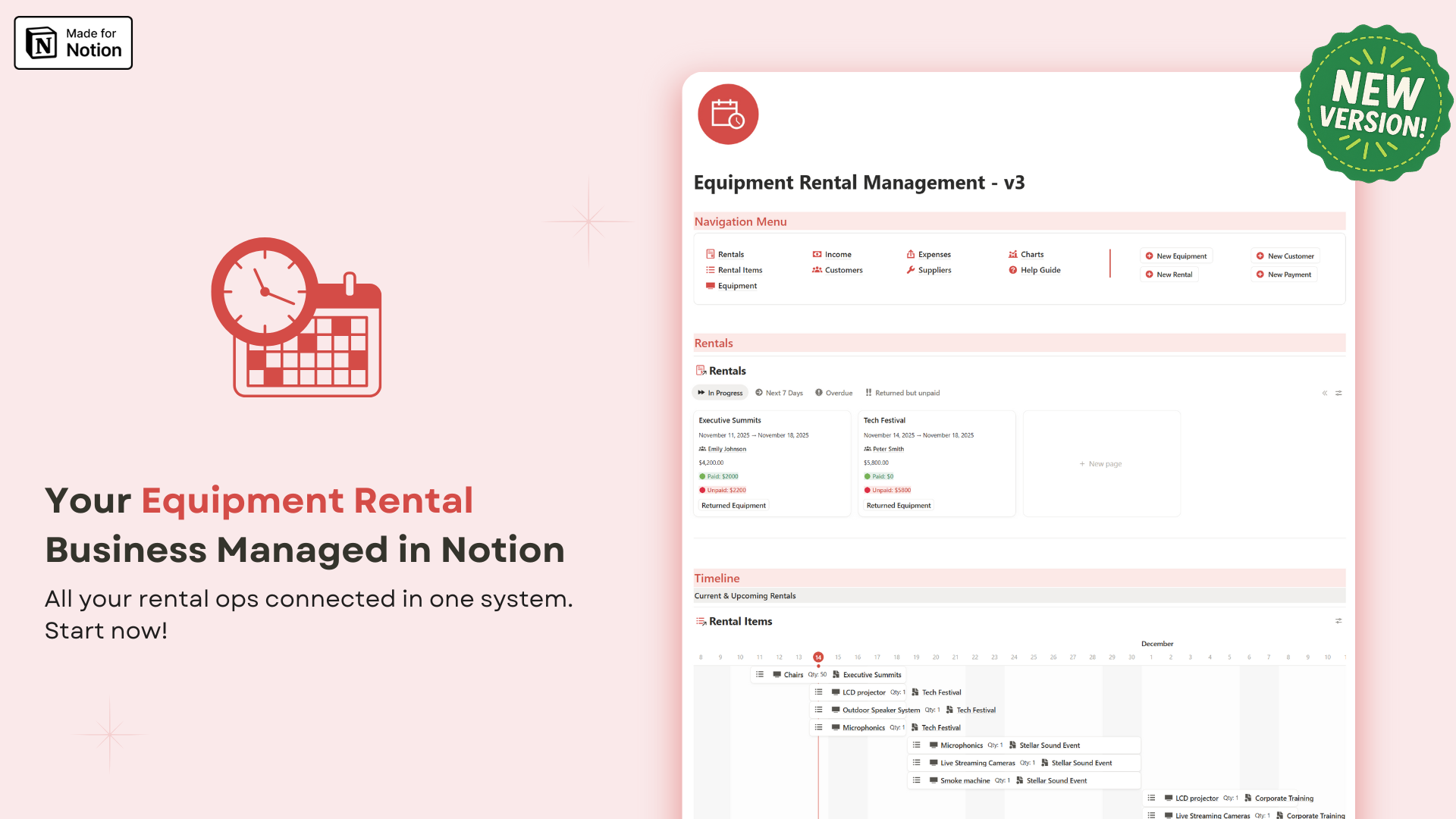
Organize your rentals, inventory, and payments all in one place.
Managing an equipment rental business shouldn't be complicated. This comprehensive Notion template gives you everything you need to run your rental operations smoothly and professionally.
Track rentals, manage inventory, monitor payments, organize client information, and control expenses — all from one centralized dashboard that updates automatically. No spreadsheet chaos, no missed bookings, no confusion.
This ready-to-use template works with Notion, but you don't need to be an expert — just start using it and get organized instantly. Whether you're renting AV equipment, vehicles, machinery, or event gear, this template adapts to your business model.
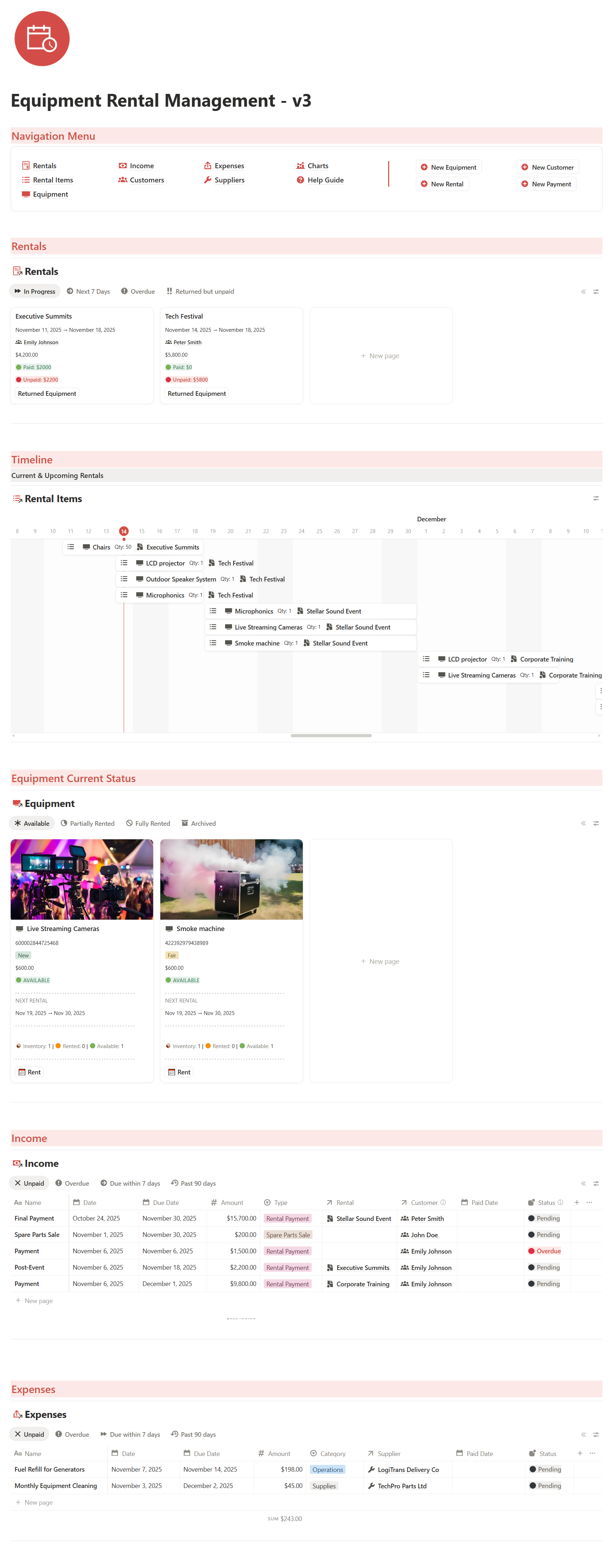
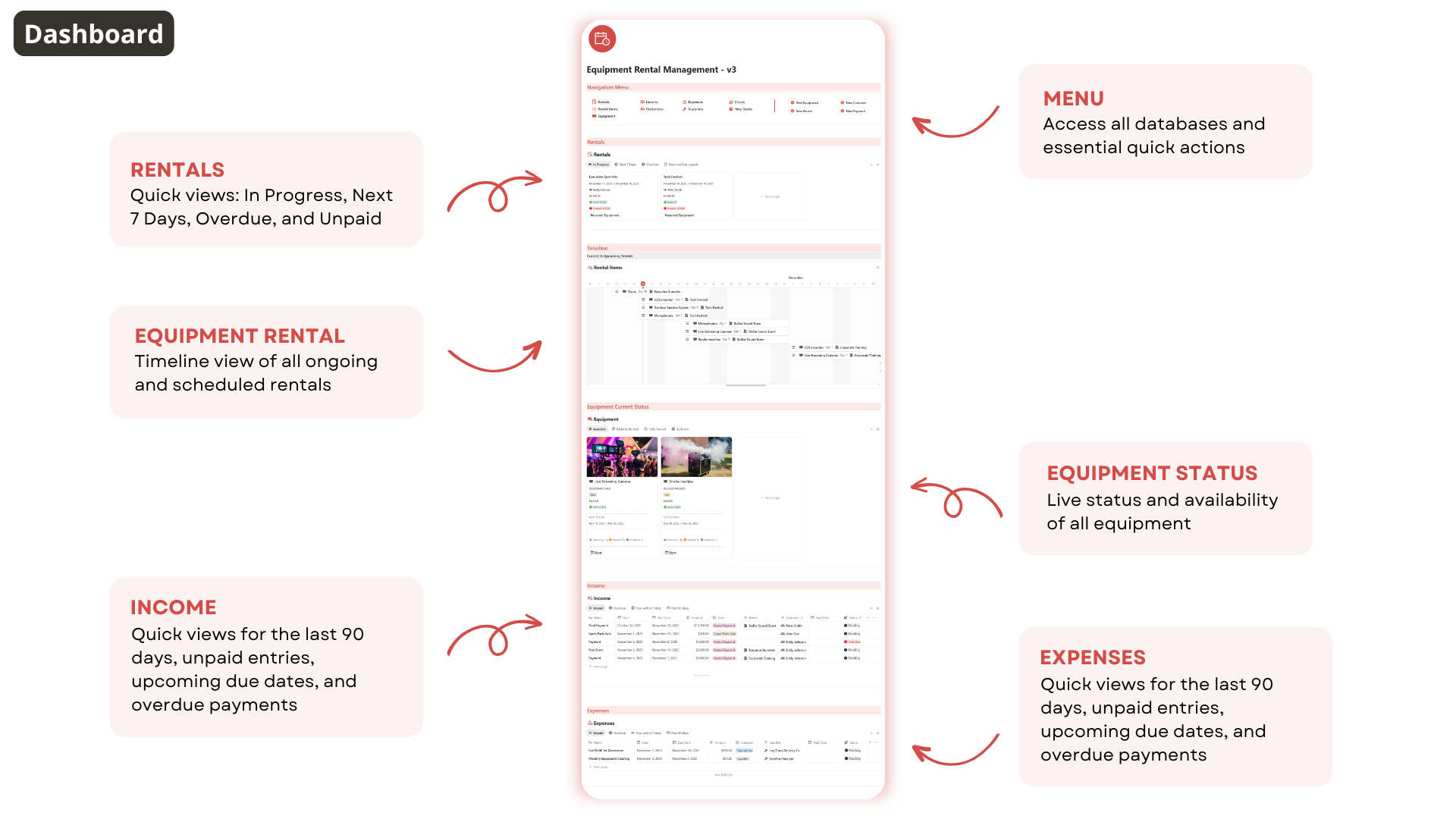
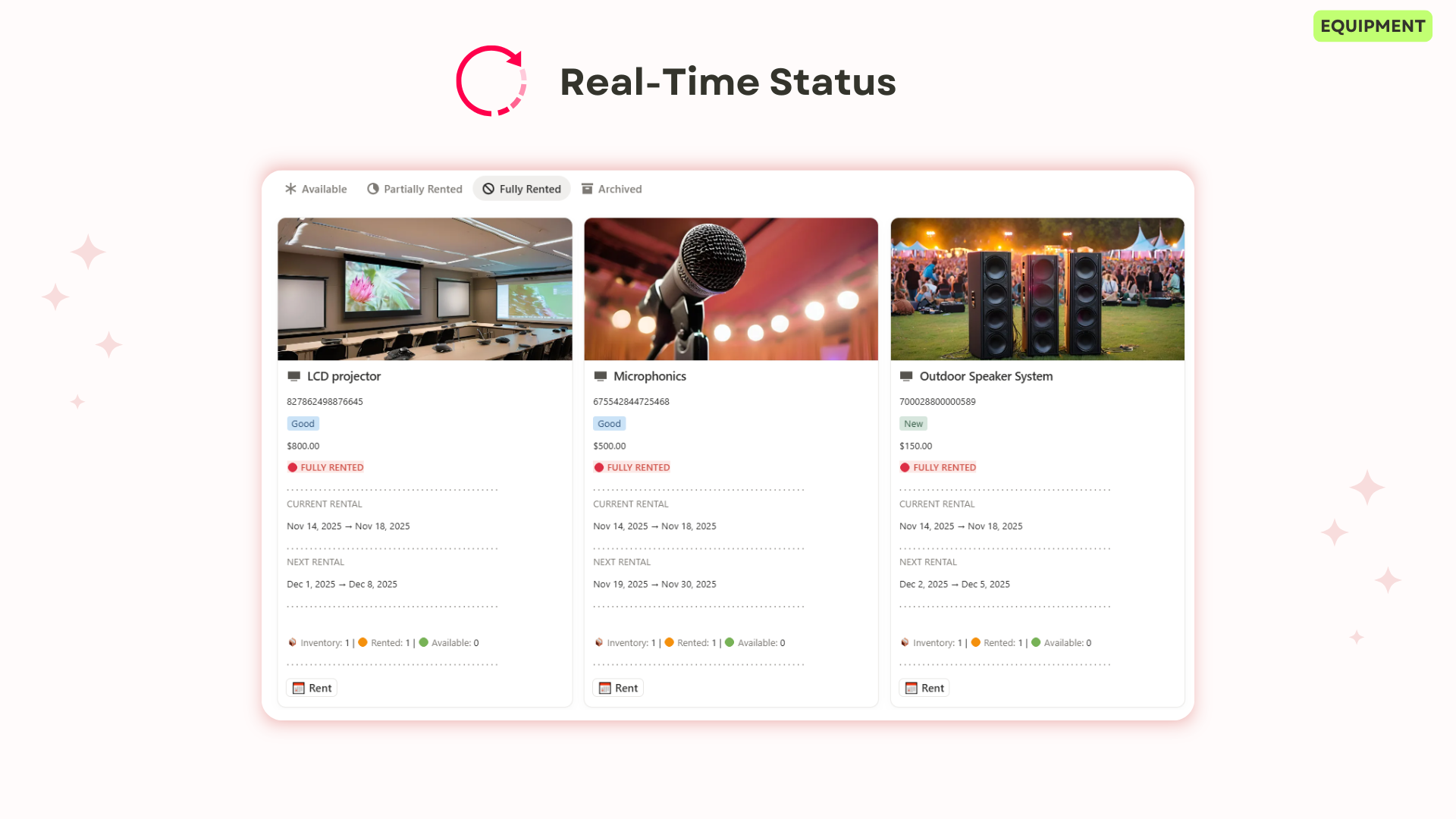
Get a complete overview of your rentals, inventory, clients, and payments — all updated automatically in one dashboard.
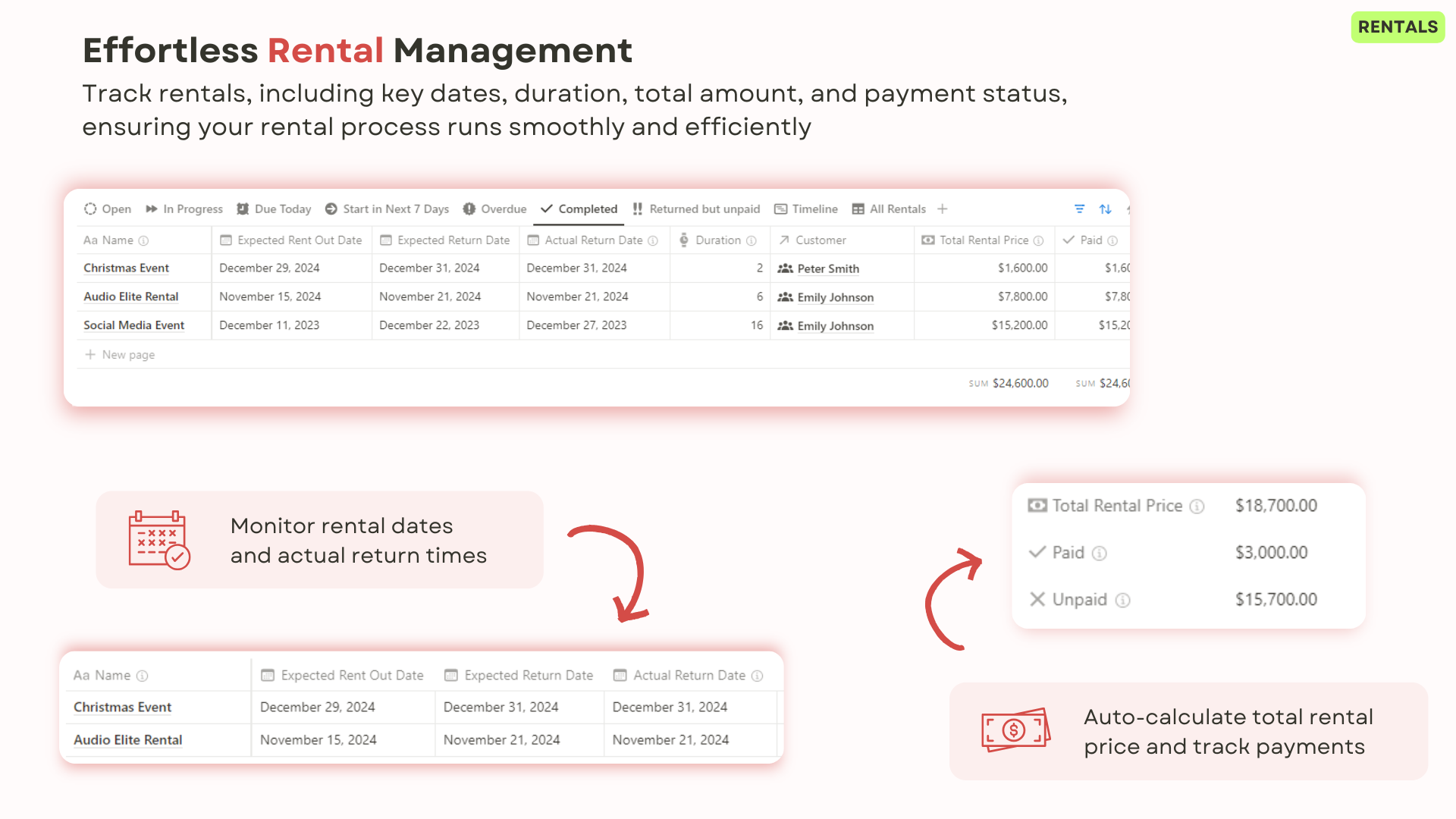
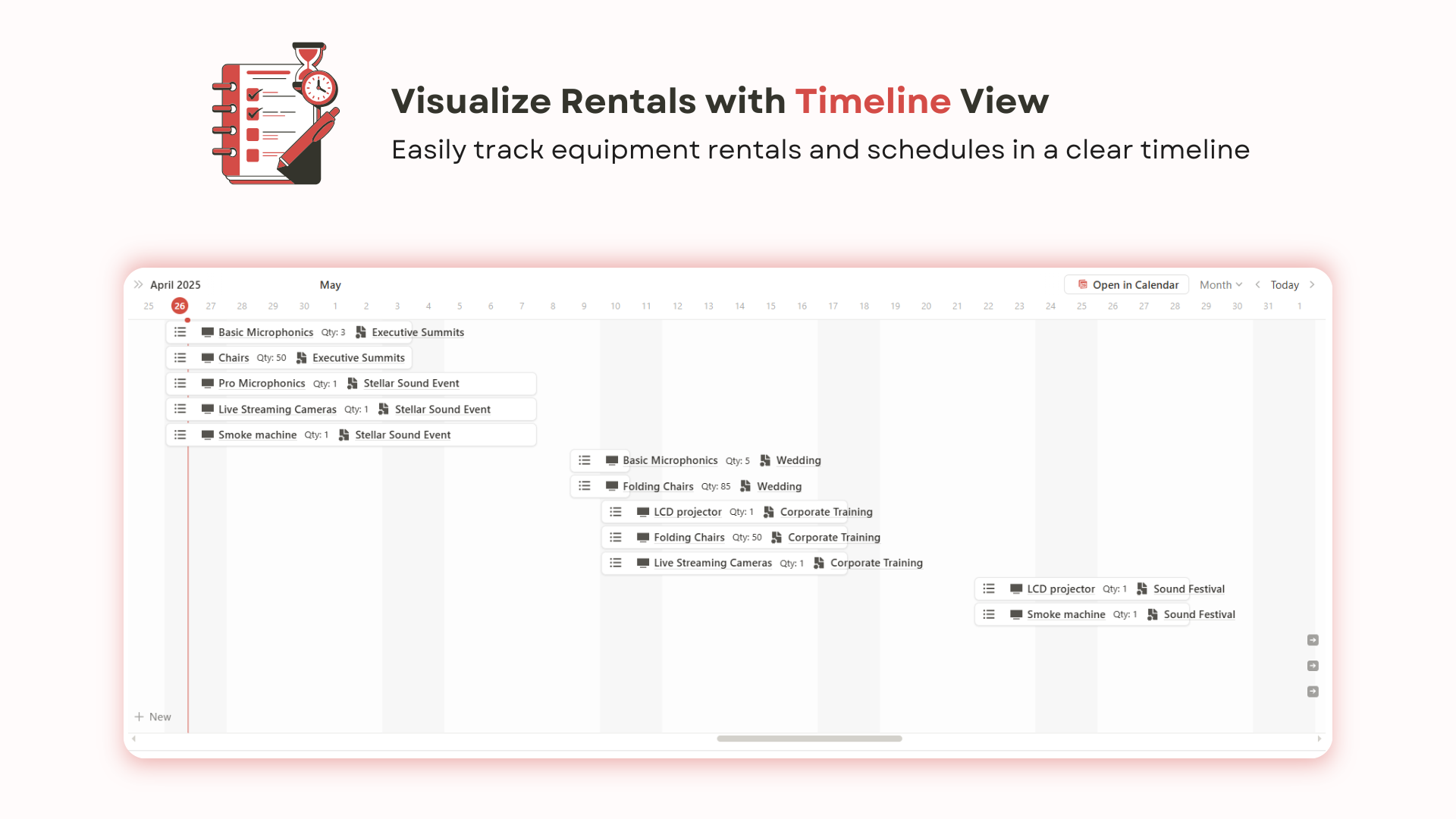
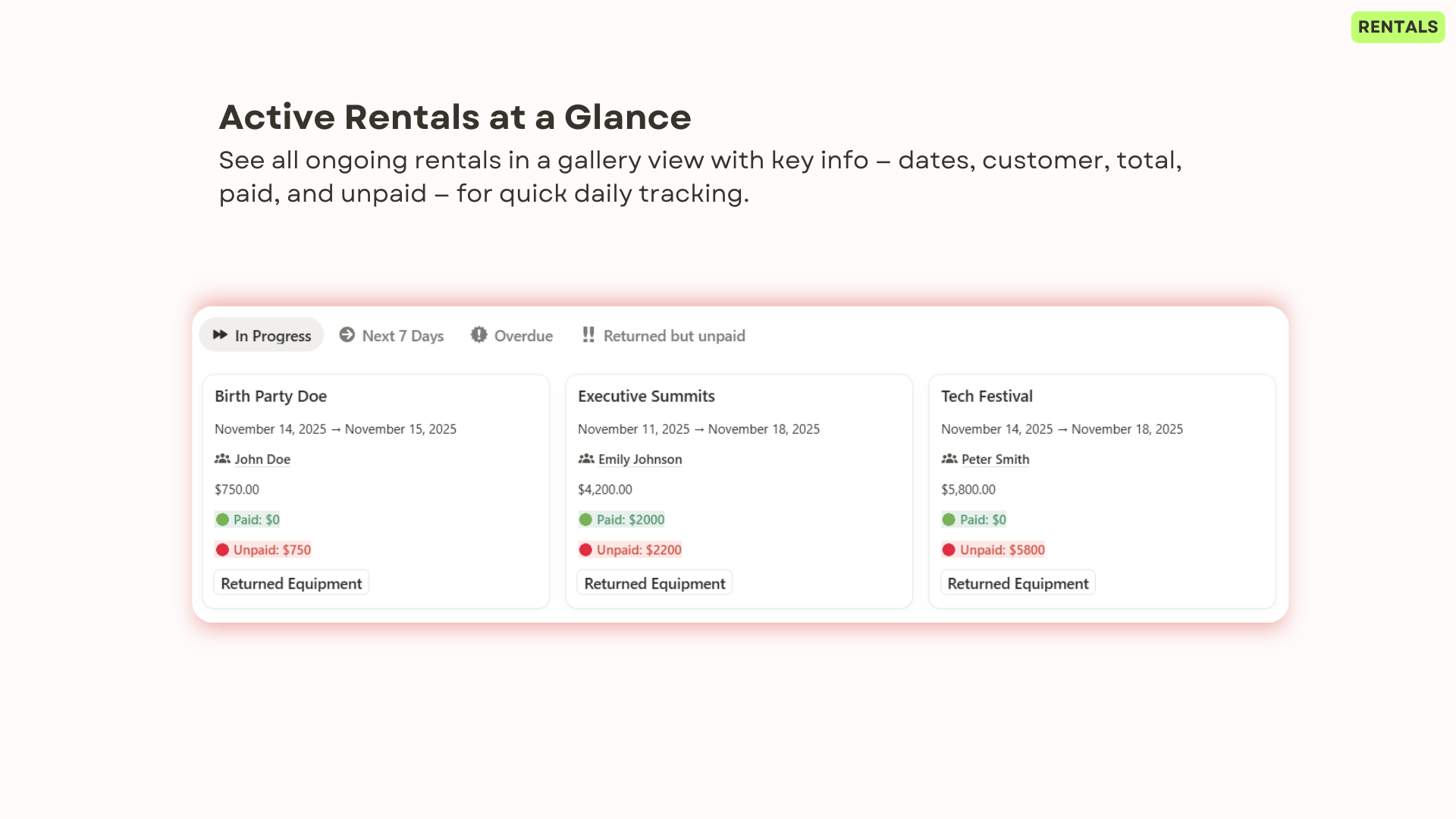
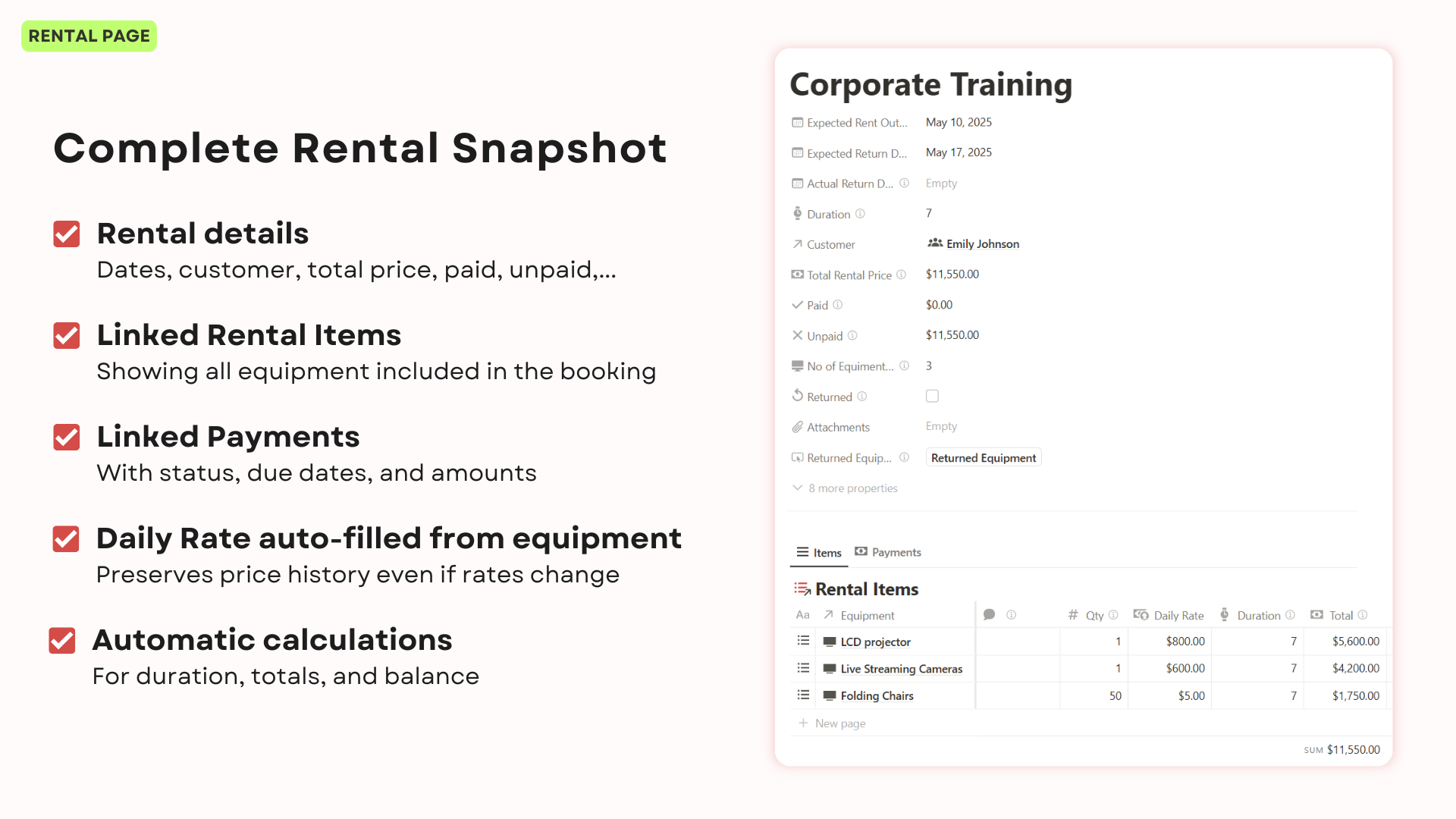
Easily organize and track rentals, monitor key dates, rental durations, amounts, and payment statuses — all in one centralized page.
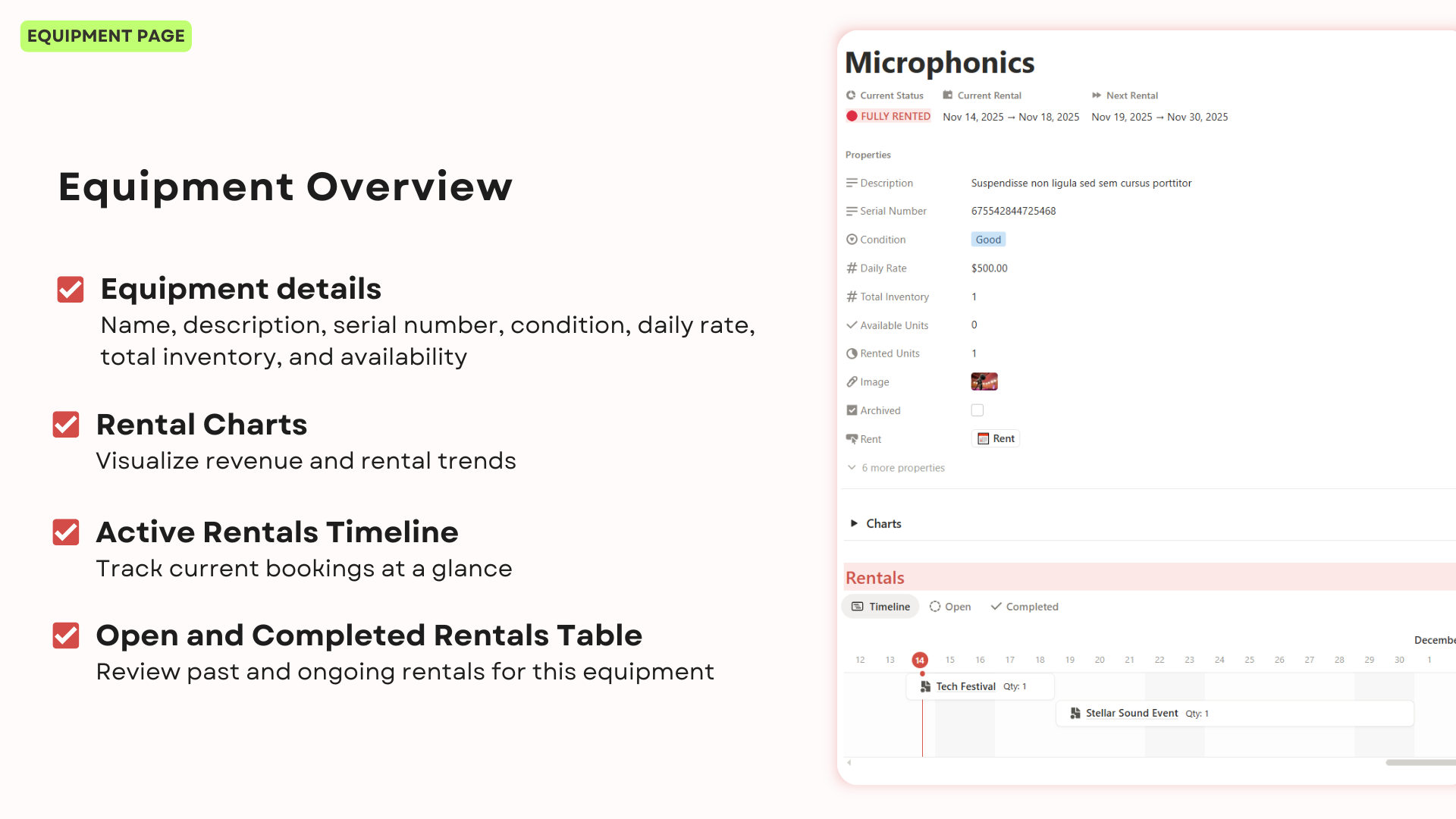
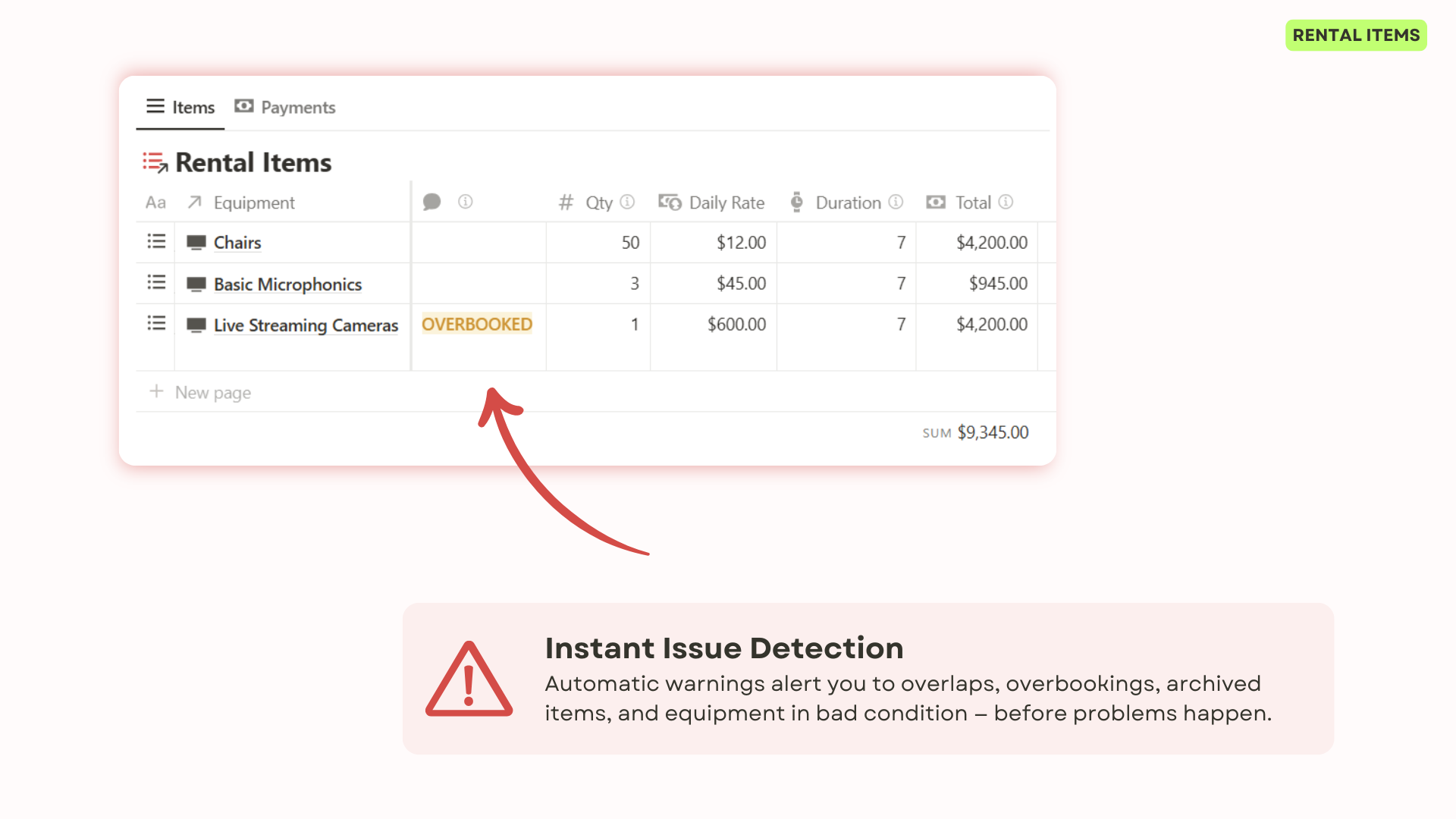
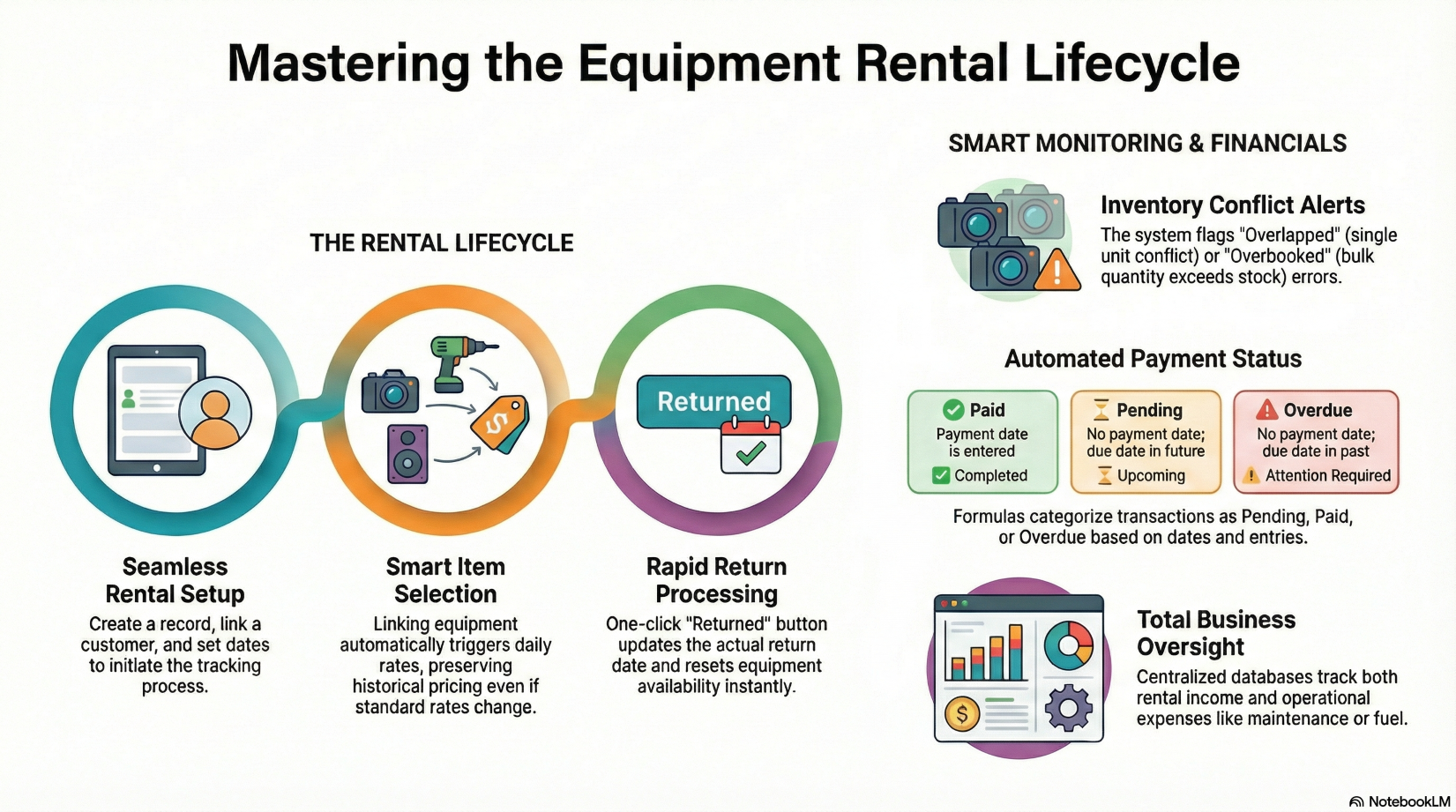
Manage individual rental items with detailed records, automatic calculations, and smart alerts for overlaps or equipment issues. Automatically populate daily rates from equipment through Database Automation while preserving historical pricing.
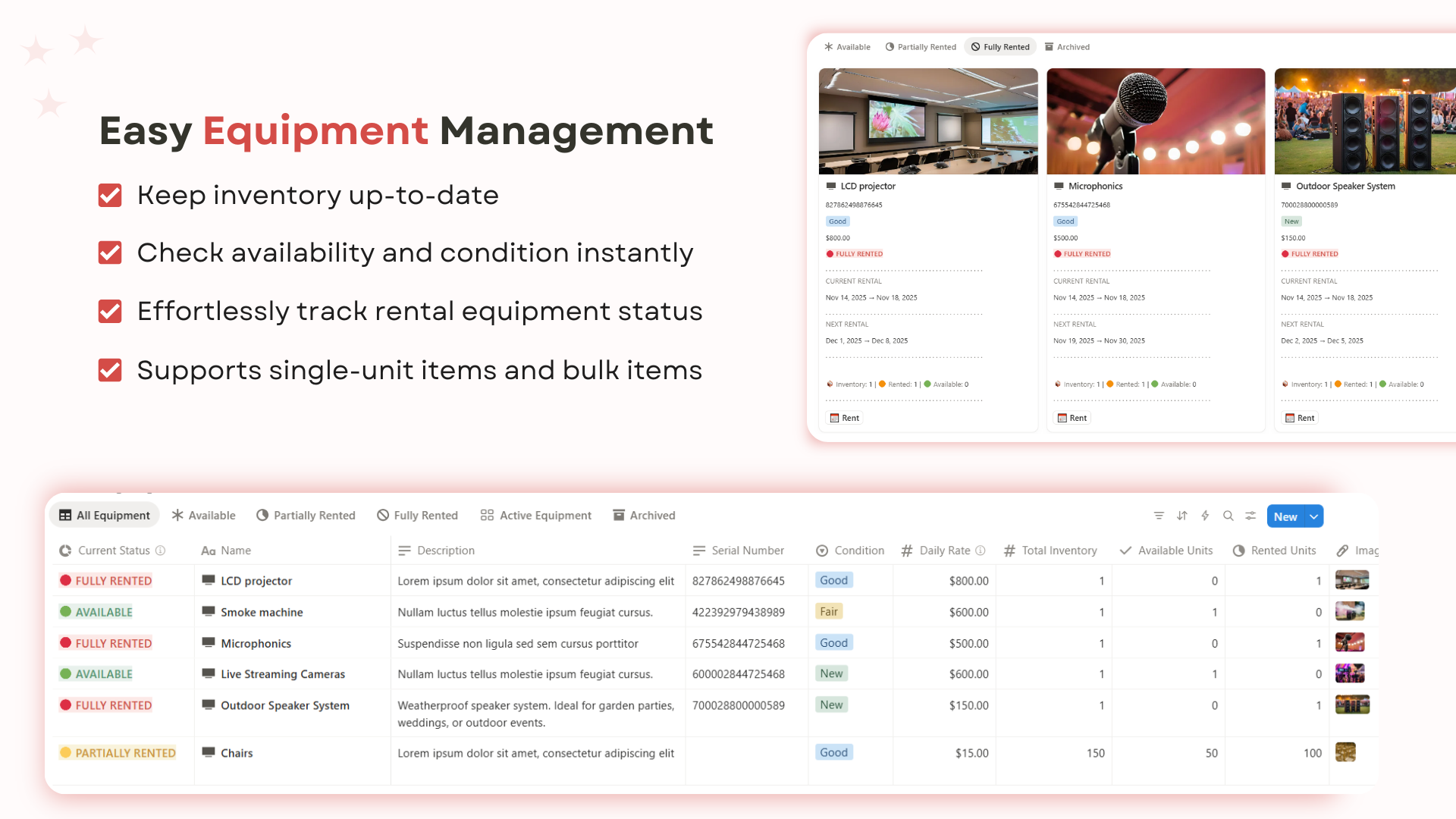
Easily manage both single-unit items (like machines with serial numbers) and bulk items (like chairs, tables, etc.). Track total quantities, real-time availability, and essential product-level details such as condition, status, and general photos.
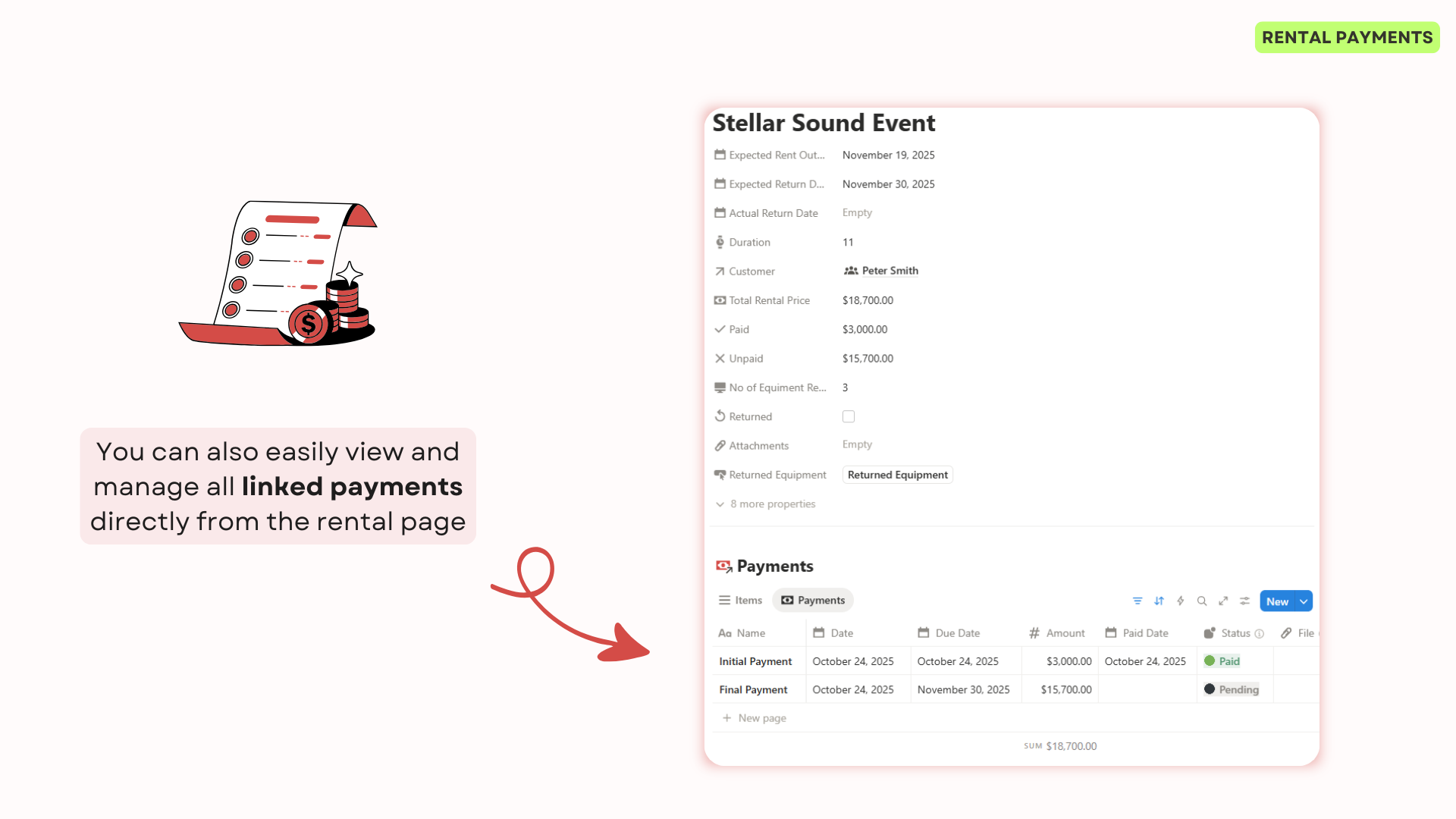
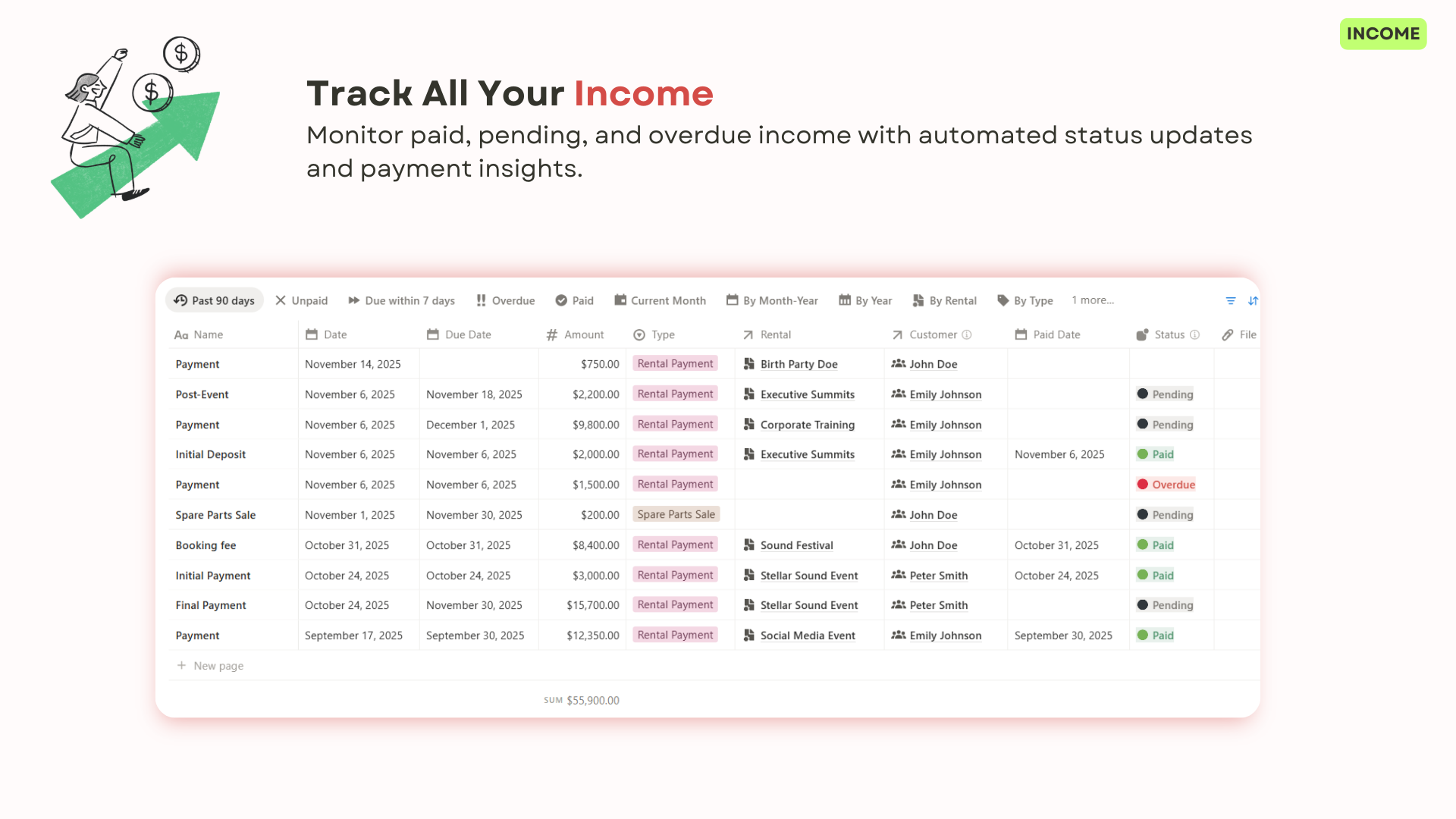
Stay on top of rental payments, monitor outstanding balances, and ensure accurate financial records with easy-to-use payment tracking.
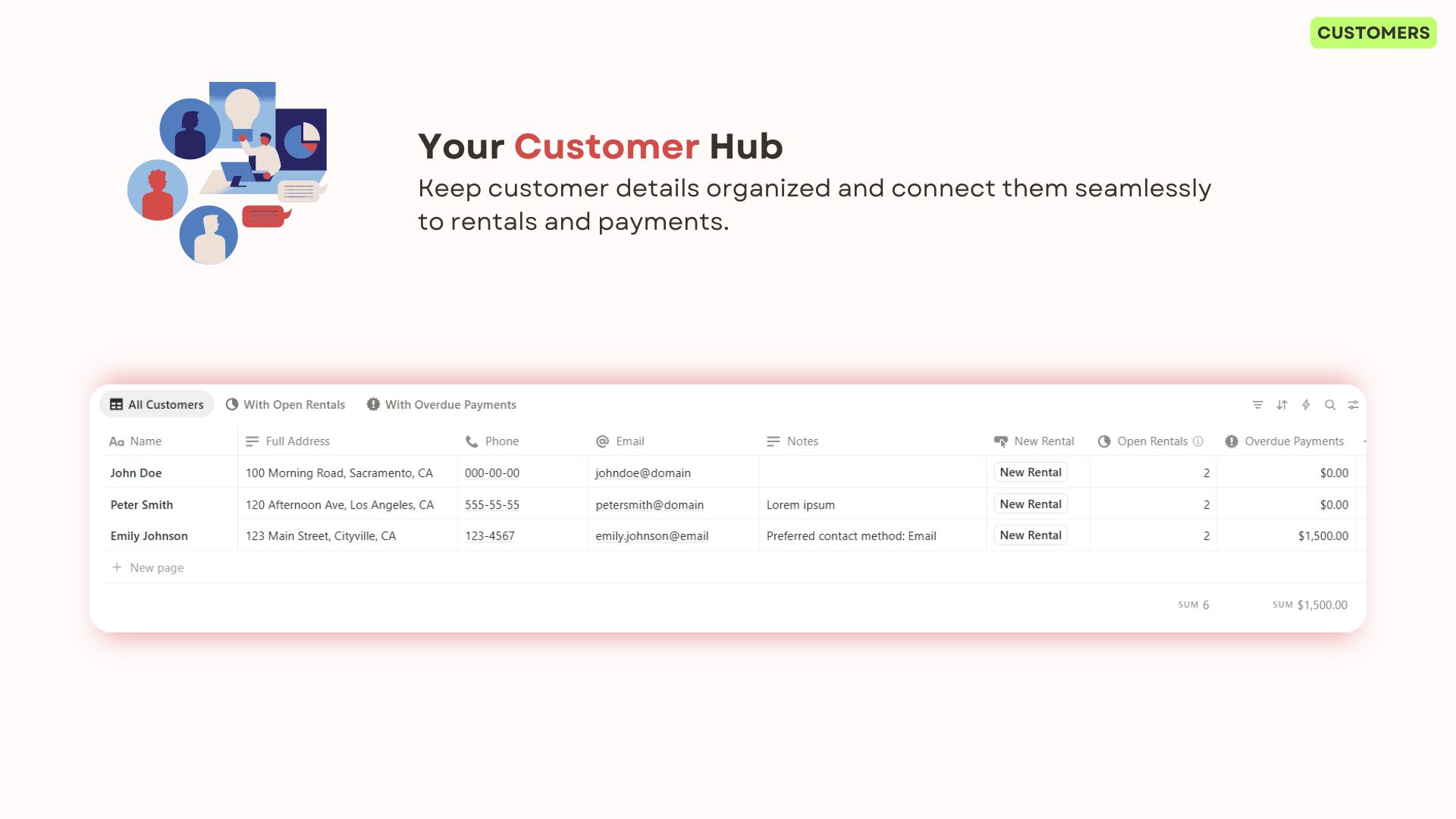
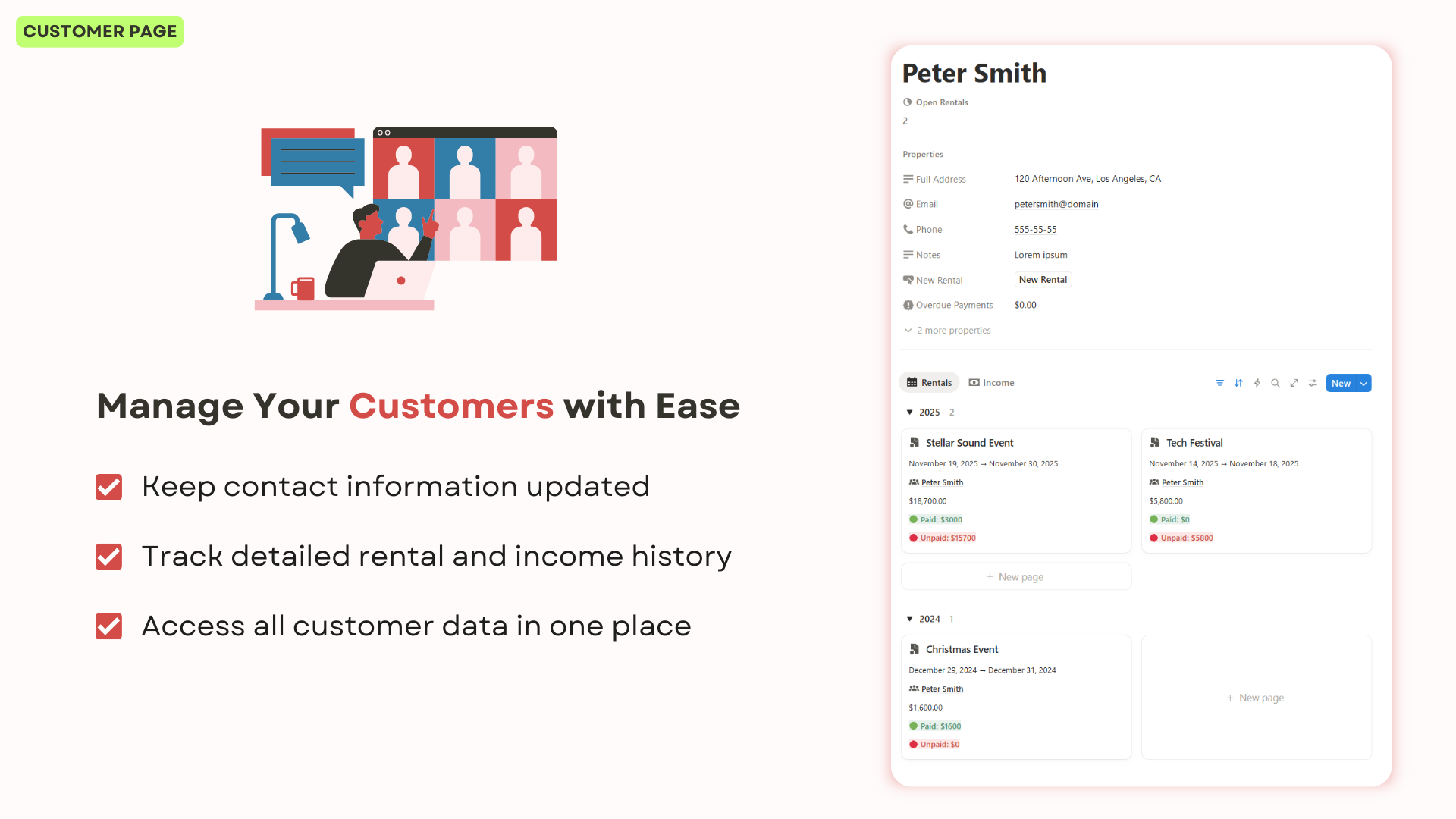
Store customer contacts, track rental histories, and access all client information in one place to deliver faster, better service.
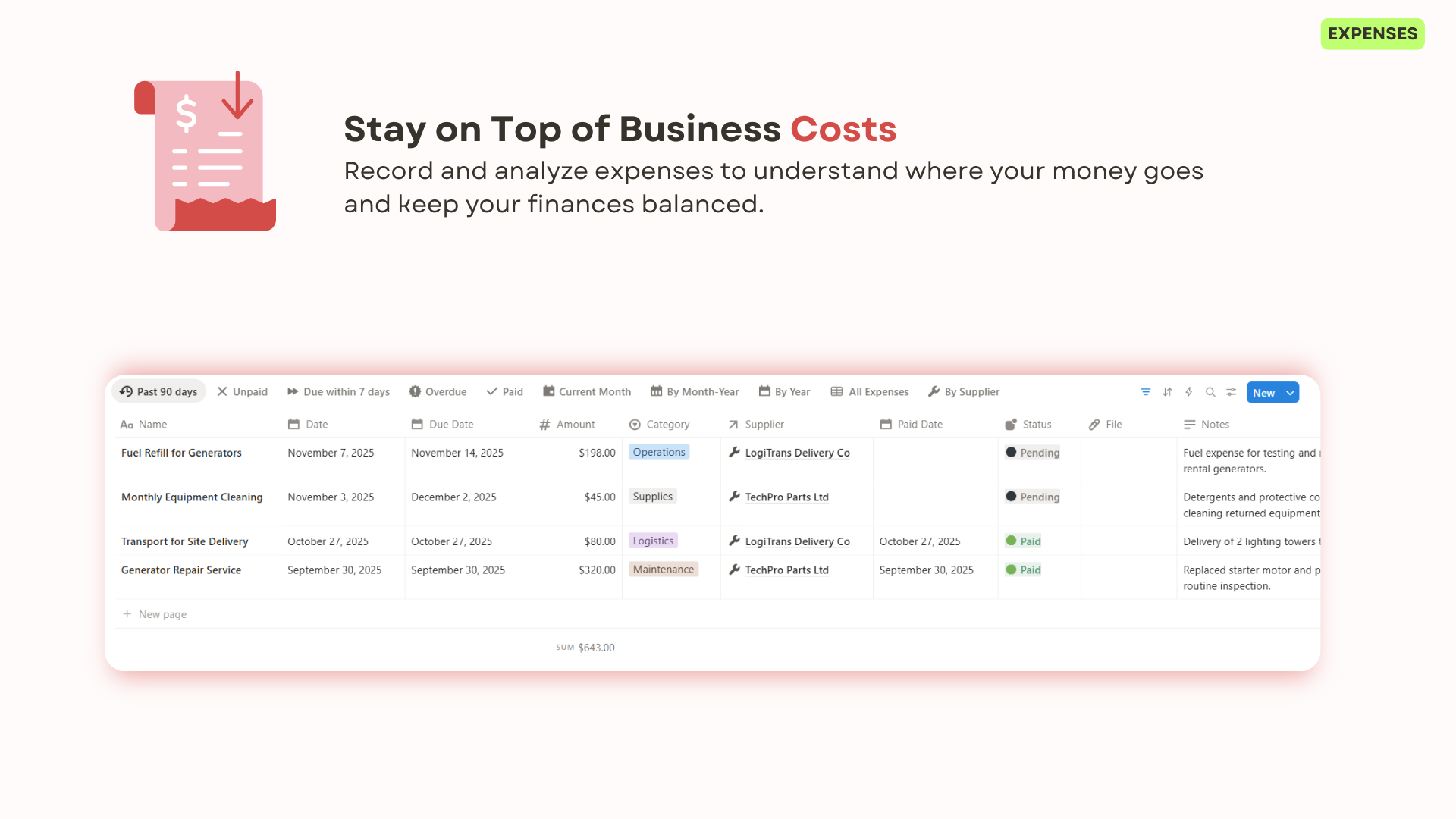
Track all business expenses, categorize spending, monitor due dates, and link suppliers. Keep full visibility over costs and vendor relationships in one centralized place.
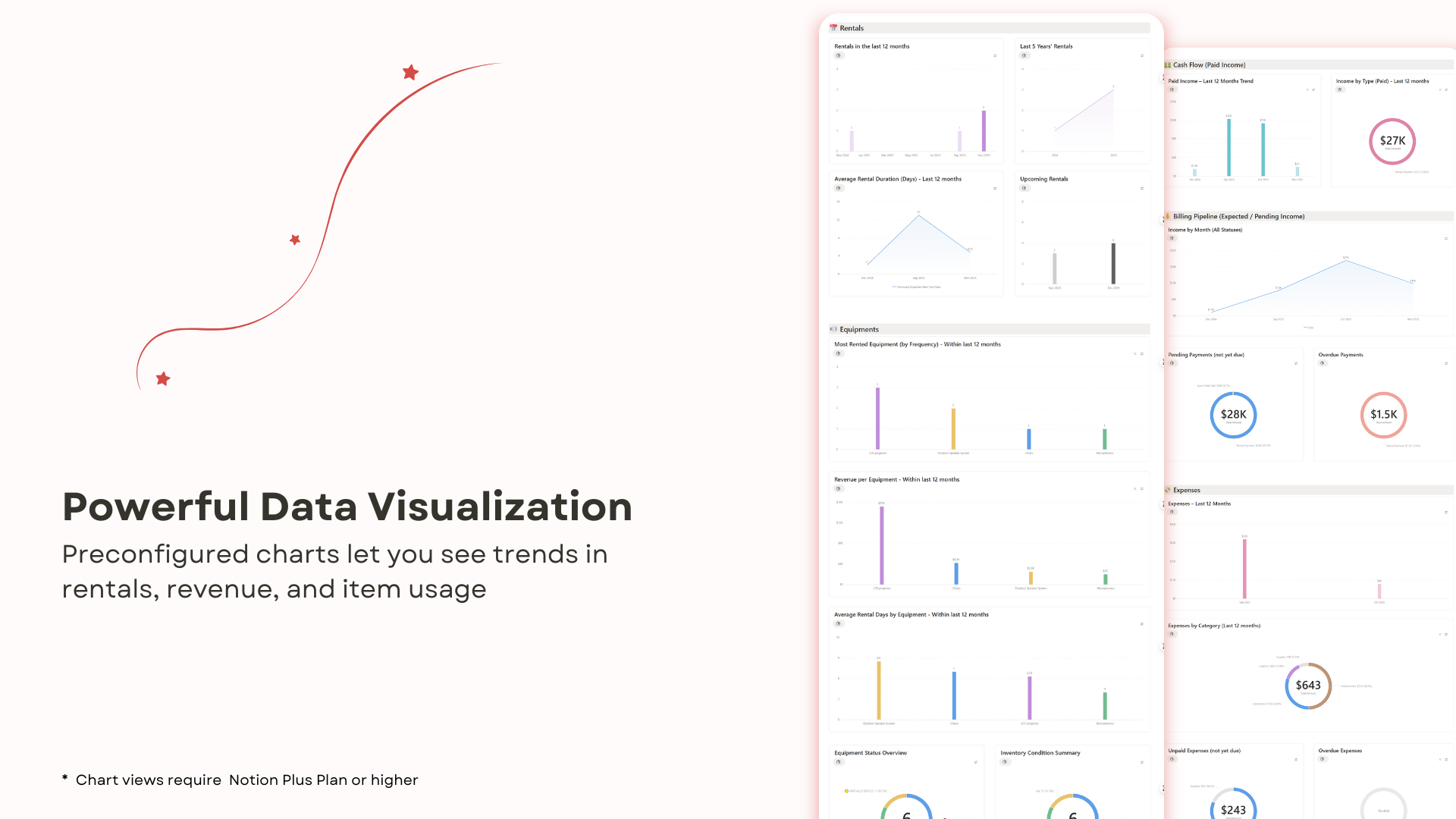
Preconfigured charts let you see trends in rentals, revenue, and item usage. Fully customizable to fit your workflow (Plus or higher Notion plan required).
Step-by-step instructions, best practices, and tutorial videos make setup fast and painless, even for Notion beginners.
Adjust fields, views, dashboards, and workflows to match your business processes.
Perfect for renting event gear, cameras, vehicles, heavy machinery, audio/video equipment, and more — built to flexibly adapt to any rental business model.
Pay once, use forever, no limits on rentals, items, or clients.
(click the image to 🔍 zoom in)
Examples: AV gear providers, foodtruck or kiosk rental services, machinery or furniture rental companies
Why it's a perfect fit:
Built for businesses that rent out physical equipment of any kind — flexible enough to adapt to your model, whether you rent foodtrucks, sound systems, or power tools.
Examples: Photographers and videographers renting gear, independent content creators
Why it's a perfect fit:
Ideal for creators managing equipment rentals while maintaining a high level of service and organization.
Examples: Startups renting tools, decor, or gear, side-hustlers running local rental services
Why it's a perfect fit:
This template gives small businesses the structure of an ERP without the complexity or cost.
Examples: Studios or agencies managing internal gear, on-set coordinators tracking equipment usage
Why it's a perfect fit:
Useful for internal coordination of equipment within busy production schedules.
Examples: Wedding and party planners, event production agencies
Why it's a perfect fit:
A practical tool to manage rental operations behind the scenes of any event.
* Requires Notion Plus or above
Secure payment. Automatic delivery after payment.
No refunds due to digital nature of templates.
This Notion template is designed to help rental businesses manage their equipment, bookings, payments, clients, and expenses all in one place. It's perfect for AV gear providers, event planners, production teams, and anyone who rents out physical equipment.
To use this Notion template, you need:
• A Notion account (free plan works for core features, but Charts feature requires a Notion Plus plan or higher)
• A device with internet access (desktop, tablet or mobile)
• Basic familiarity with Notion's interface. You can learn for free at
Notion Academy.
✍ Sign up for an account to start using Notion.
Disclaimer: The previous link is an affiliate link to Notion.
If you make a purchase, I may earn a commission at no extra cost to you.
See my disclosure policy for more details.
Not at all! The template is ready to use out of the box. It includes a comprehensive help guide with step-by-step instructions and video tutorials to get you started quickly, even if you're new to Notion.
Yes! The template is fully customizable. You can adjust fields, views, dashboards, and workflows to match your specific business processes.
What's included:
This is a one-time purchase. You pay once and can use the template indefinitely in your own Notion account.
After purchase: You'll receive immediate access to duplicate the template to your Notion workspace.
Refund policy: Due to the digital nature of Notion templates, all sales are final. Once you have received the template link, I cannot offer refunds, exchanges, or cancellations. See terms and conditions for more information.
Should you require any further information before making a purchase, please 📧 contact me.
No. Purchasing the template grants a personal license for your own use only. You may modify it as needed and share it only within your workspace, but you may not distribute, resell, or share it with third parties. See template license for more details.
This template has been actively maintained for over 3 years and is developed by Anaïs, a software engineer and professional Notion template creator.
With a background in building Notion systems for freelancers and small businesses, Anaïs has created 50+ templates covering operations, finance, rentals, CRM, and more. Each system is designed with a strong focus on real-world workflows, scalability, and long-term usability.
Over the years, this template has been continuously refined based on real user feedback from people who rely on it daily to manage their rental businesses. Regular updates ensure it stays fully compatible with Notion's latest features while incorporating practical improvements suggested by the community.